Captions that stop the scroll. Exactly your style.
Animated captions that grab attention. Your own fonts and colors, accurate transcripts and presets that never get lost. Done in minutes.
3 videos up to 3 minutes, free for 7 days. No card.
Captions done right. No credits.
 Hynek Hamplcreator of the app · @hynecheck
“My team and I make hundreds of videos every month, and we were fed up with every other caption tool. There was always something to fix: transcripts that got our language wrong, too few style options, videos and presets that disappeared, lots of manual text editing. It was just painful to use. So I built Creatornaut.”
Accurate transcripts Punctuation and commas right in the transcript, in 28 languages.
Your style, kept Presets saved to your account and your own fonts, on desktop and phone.
No credits 50 minutes of captions a month, export without a watermark.
Reviews
Praise from the in-app board where people send us bugs, ideas and what made them happy. Translated from Czech.
“So far it’s a total bomb!!! This is what I was missing.”
“It’s awesome! The whole thing works really well and I love using it. … Finally I have the same on-brand captions everywhere :)”
“It’s CHRISTMAS for me today. … We had our own font made and bought it, I uploaded it here and can use it. That’s absolutely amazing.”
Automatic captions that follow the rules.
Lines break the way an editor would break them. Pick an example or type your own sentence.
new video this week
 Creatornaut
the new video this week
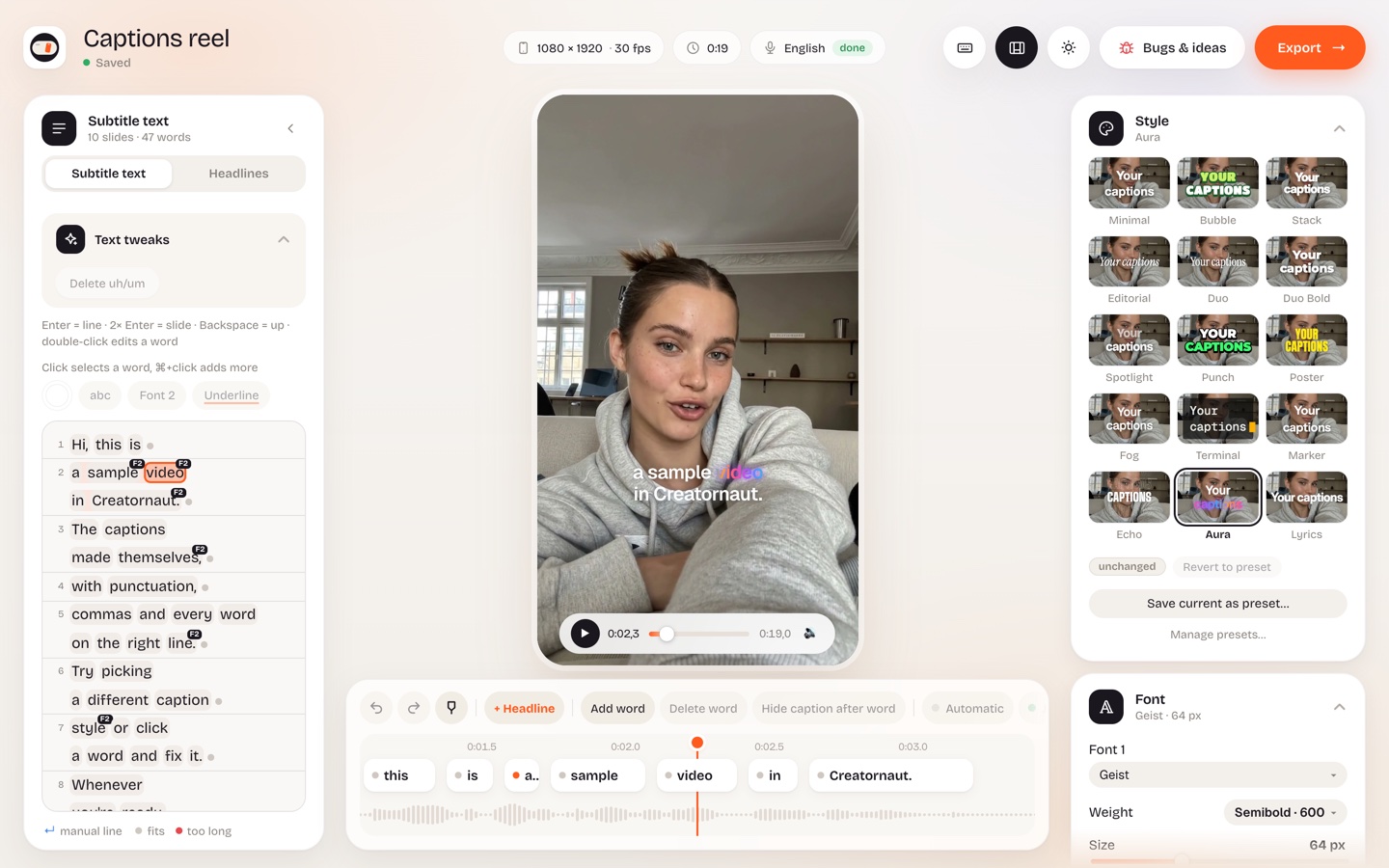
Upload, fix, download.
- Upload your video for Reels, TikTok or Shorts, from your phone or computer. Captions are made from the audio right away while the video finishes uploading.
- Fix whatever you like. Click a word and retype it. Drag it on the timeline and it lands exactly on the audio.
- Download the finished video in your style, without a watermark and in full quality.
What you get for $8.99 a month
No credits
- 50 minutes of captions a month, about 50 one-minute videos
- Export without a watermark
- No extra charges
Transcripts you don’t have to fix
- Automatic transcription in 28 languages, or let the app detect the language
- Smart line breaks: no “the” or “and” left hanging at the end of a line
- Translate captions between 28 languages
Your style, kept
- Presets saved to your account, on desktop and phone
- Your own fonts, plus a second font for chosen words
- Background, colors and word animations your way
Desktop and phone
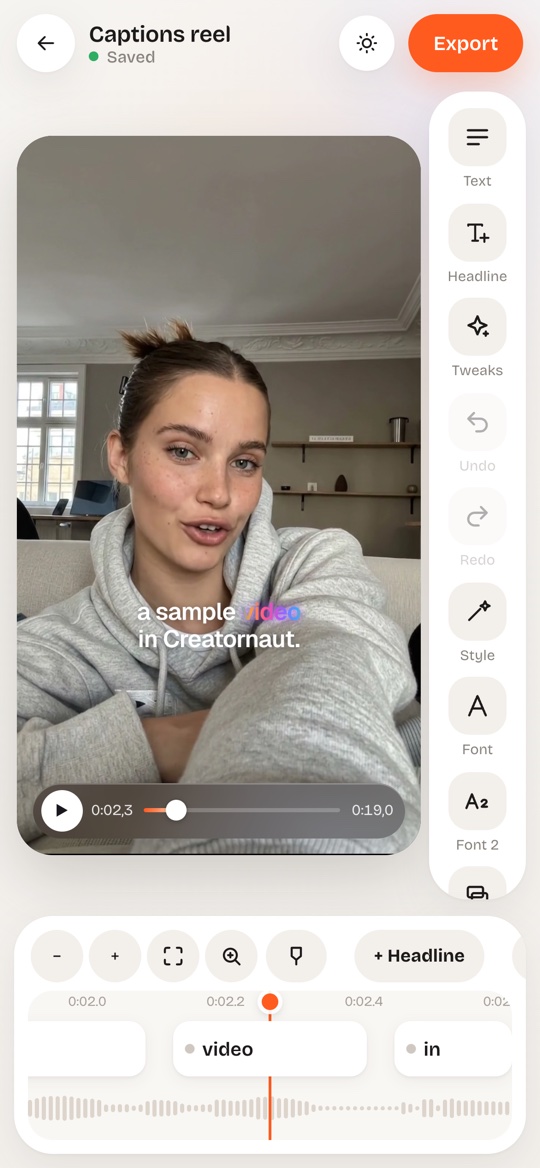
- Mobile version in the browser, nothing to install
- Your projects sync between devices
- Support from a real person
You only pay for captions.
No credits and no extra features you’ll never use.
- 50 minutes of captions a month (≈ 50 one-minute videos)
- Export without a watermark
- Modern presets and your own fonts
- Special AI features included
- Translate captions between 28 languages
- Desktop and phone, in sync
3 free videos first, no card. After your first payment you have 14 days to get your money back, no questions asked.
FAQ
How do I try it for free?
Sign up with your email or Google. With email you’ll get a confirmation link; click it and you can upload a video. Within 7 days you can caption 3 videos, each up to 3 minutes. You don’t enter a payment card. If you enjoy it, you can subscribe right in the app. Payments are handled by our reseller, Paddle.
Is it for me?
For anyone who makes videos for social media, for themselves or for clients: creators, marketers and agencies.
Does it work for Reels, TikTok and Shorts?
Yes. The captions are part of the finished video, so you can post it anywhere: Instagram, TikTok, YouTube Shorts and Facebook.
Which languages does it support?
Transcription works in 28 languages, including English, Spanish, German, French, Italian, Portuguese, Dutch and Polish, and the app can detect the language for you. You can also translate captions into any of them. The app itself is in English and Czech.
Are 50 minutes enough?
Our testers’ average video is just under a minute, so that’s roughly 50 videos a month. If you need more, write to us.
Does it work on my phone?
Yes. The app has a dedicated phone version in the browser, nothing to install. You can finish a video on your computer later.
Can I cancel my subscription?
Anytime in the app, and you keep access until the end of the paid period. Within 14 days of your first payment we’ll refund the full amount, no questions asked.
What happens to my videos?
They’re stored in the EU under your account and nobody else can access them. You can delete them anytime.
Stop fixing captions. Start filming.
Caption your first 3 videos for free. Share it with friends who make videos too.